A decade overdue
Rebuilding a 2018 mobile app from scratch — native login, a smarter dashboard, and claims in three taps.
What shipped
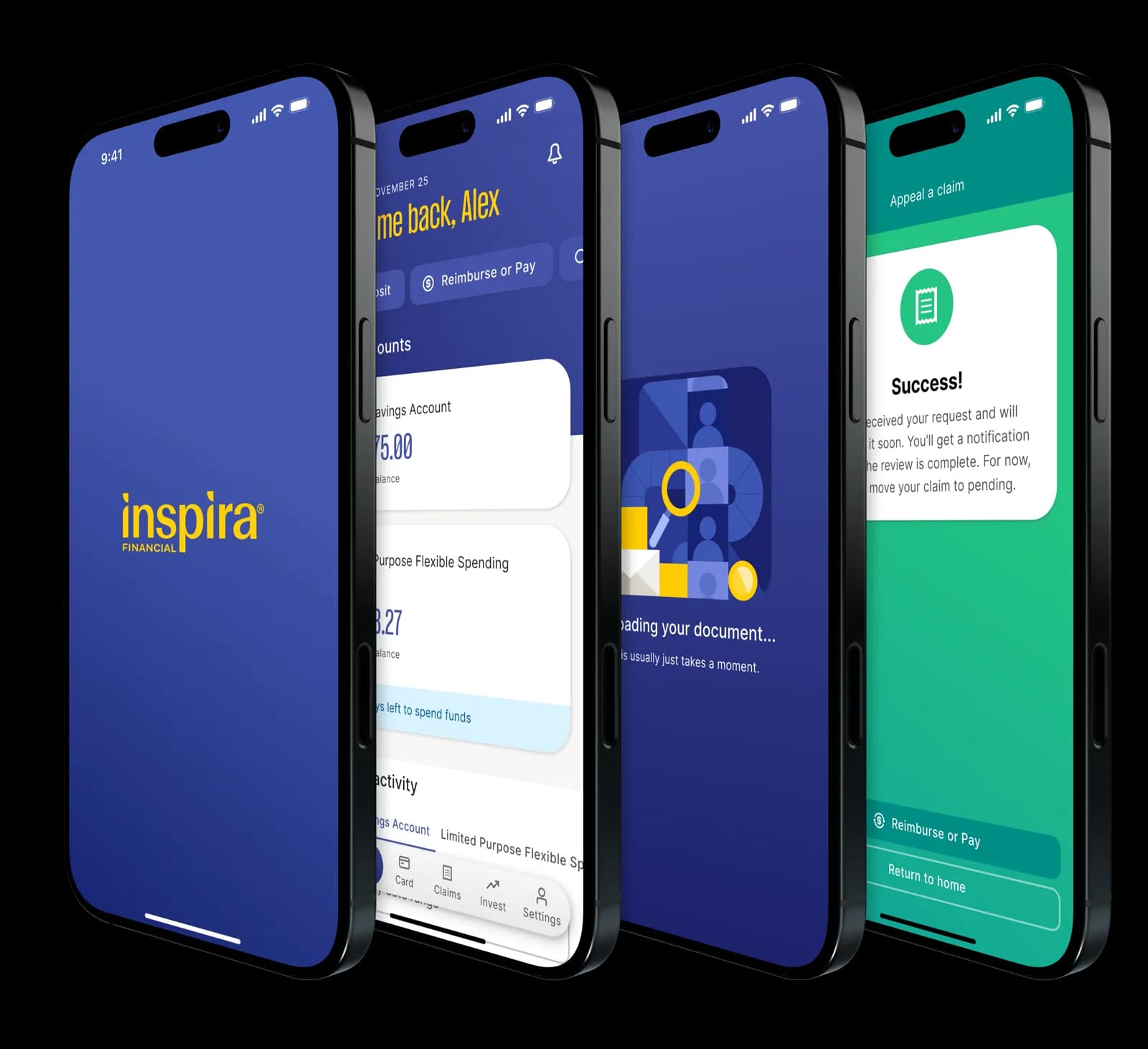
The redesign became a native, focused mobile app: login stayed in-app, the dashboard made account status readable, and claims dropped to a three-tap flow.
- Native login. Username, password, OTP, and biometrics stayed inside the app.
- Smarter dashboard. Key balances, debit card actions, and alerts surfaced first.
- Claims in 3 taps. Photo-first filing moved users toward completion instead of support.
Problems worth fixing
The Health & Benefits app hadn't been rebuilt since 2018. I focused the redesign on the three problems costing users and support the most:
- Login sent users to Safari, which made the app feel broken on first touch.
- Home was visually crowded with 15+ account types competing for attention — users couldn't find what mattered.
- Claims took 15 taps, which pushed users to call support instead of completing in-app.
The app sat at 2.7 stars. The prototype had to prove it could feel native, clear, and ready to scale.
Moved login back in-app
I removed the browser redirect first, because trust starts at login.
I redesigned login as a native Ping Identity flow: username, password, OTP, and biometrics inside the app.
The result was a login that felt native, predictable, and secure.
Old home
The old home screen forced users to read before they could act. Balances, alerts, and actions all competed at the same weight.
New home
The dashboard had to support 15+ account types, each with different primary data. I ran a PM workshop using FullStory data to separate real user needs from internal edge cases.
Two insights shaped the design: debit card actions drove support calls, and multi-account holders were rare. So card status became prominent, and the common case stayed simple.
I built one dashboard card system with variants per account type. Key balances come first, supporting data is grouped, and nudges make next steps obvious.
Old account details
The old account details view had the right information but weak structure. Basic tasks took longer than they should because users had to parse dense content.
New account details
I grouped account details by intent: what matters now, what users can act on, and what's secondary. That made comparison faster on mobile.
Old transaction details
Old transaction details had low signal-to-noise. Pending and settled items looked nearly identical, so users had to read fine print for next steps.
New transaction details
I tightened hierarchy, labels, and status chips so users could understand transaction state in one pass.
Old vs new, side by side
This comparison shows the core shift: from dense screens that require interpretation to screens that support quick decisions.
In 8 moderated Lookback sessions, the dashboard scored 4.38/5. Users called it clean, intuitive, and easy to navigate.
The sessions also sharpened three details:
- "Pay a provider" was unclear — I renamed the action to make both intents explicit.
- "Investment balance" lacked context — I added clearer framing and entry points.
- Users expected transaction history in different places — I improved the information architecture cues.
Cut claims from 15 taps to 3
Claims was the highest-intent task and the highest-friction flow.
I made it photo-first, shortened the path, and unified claims and card activity into one readable feed.
The goal was more in-app completion and fewer support calls.
Delivered an Aetna-ready prototype
For the February 2026 Aetna deadline, I delivered an end-to-end prototype of login, home, claims, and debit card management.
It proved the product direction, interaction quality, and execution were ready for modernization.
Results that mattered
- Login moved from a Safari redirect to a native in-app flow — the single biggest trust fix.
- Claims went from 15 taps to 3, designed to shift users from calling support to completing in-app.
- Dashboard scored 4.38/5 across 8 moderated Lookback sessions.
- Delivered a full prototype that met the February 2026 Aetna modernization deadline.
What I'd ship next
- OCR auto-fill for claims. I prototyped receipt scanning that fills claim details automatically. It's scoped into the roadmap.
- Passkey login as soon as backend support is ready.
- Connected claims for faster adjudication and clearer post-submission feedback.
The redesign got the foundation right. These would take it further.
Back To
Home