Before, during, after
A running companion for iPhone that I designed and built. It doesn’t track your run. It helps with the run itself: what today should be, a beat to run to, and something to make of it after.
- Role
- Designer & Developer
- Team
- Solo
- Year
- 2026
- Status
- 1.0 in App Store review
At a glance
- What it is. A running companion for iPhone. It doesn’t track runs or compete with Strava. It helps with the run itself: before, during, and after.
- Who it’s for. Runners who already follow a plan and track with a watch. I built it for my own marathon training first.
- My part. I designed it and built it in SwiftUI.
- Where it is. Version 1.0 is in App Store review. I use it on every run.
Too many apps for one run
I’m an avid runner. What pushed me to start was marathon training. For one run I was using:
- A marathon plan from a book, as a calendar file
- Apple Notes, to check off workouts
- Claude, synced with my health data, to ask how I was doing
- A metronome app for cadence
- My phone’s stopwatch to count strides
- A website and a weather app to decide what to wear
- A search for warm-up and cool-down stretches
So I thought, why not build one app that combines all of this? I started in mid 2025, on and off. Then I got into the Chicago Marathon in early 2026 and have been building since.
Before: a verdict with no typing
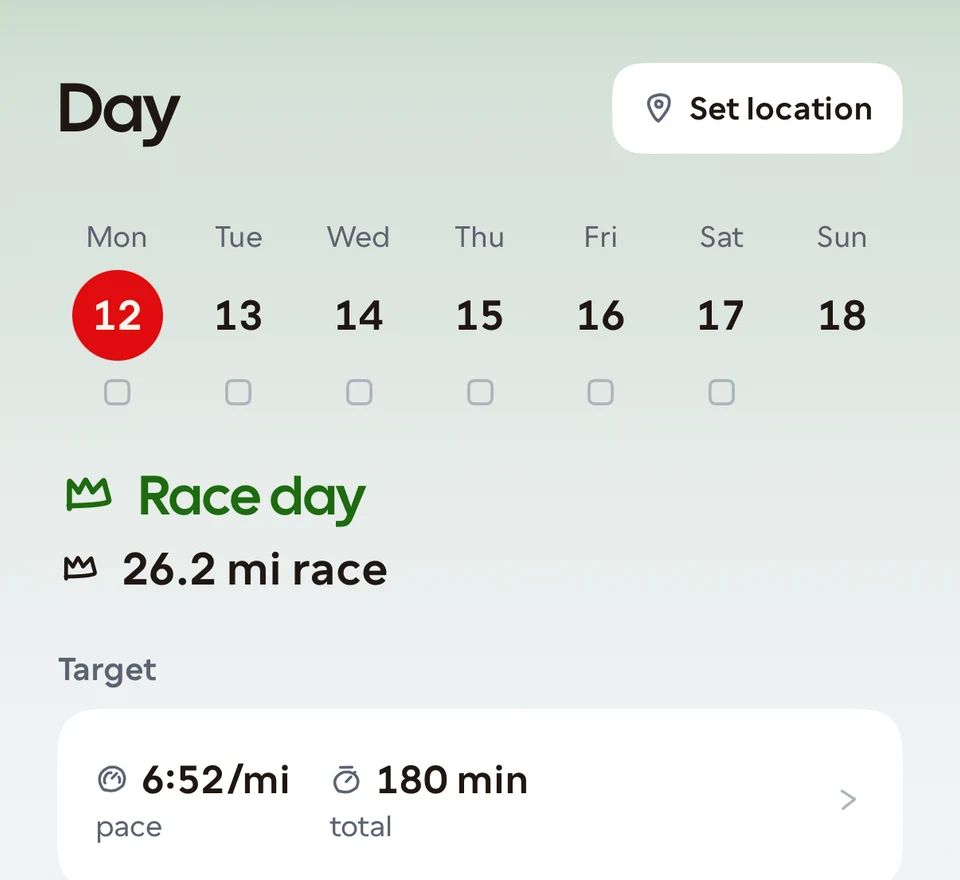
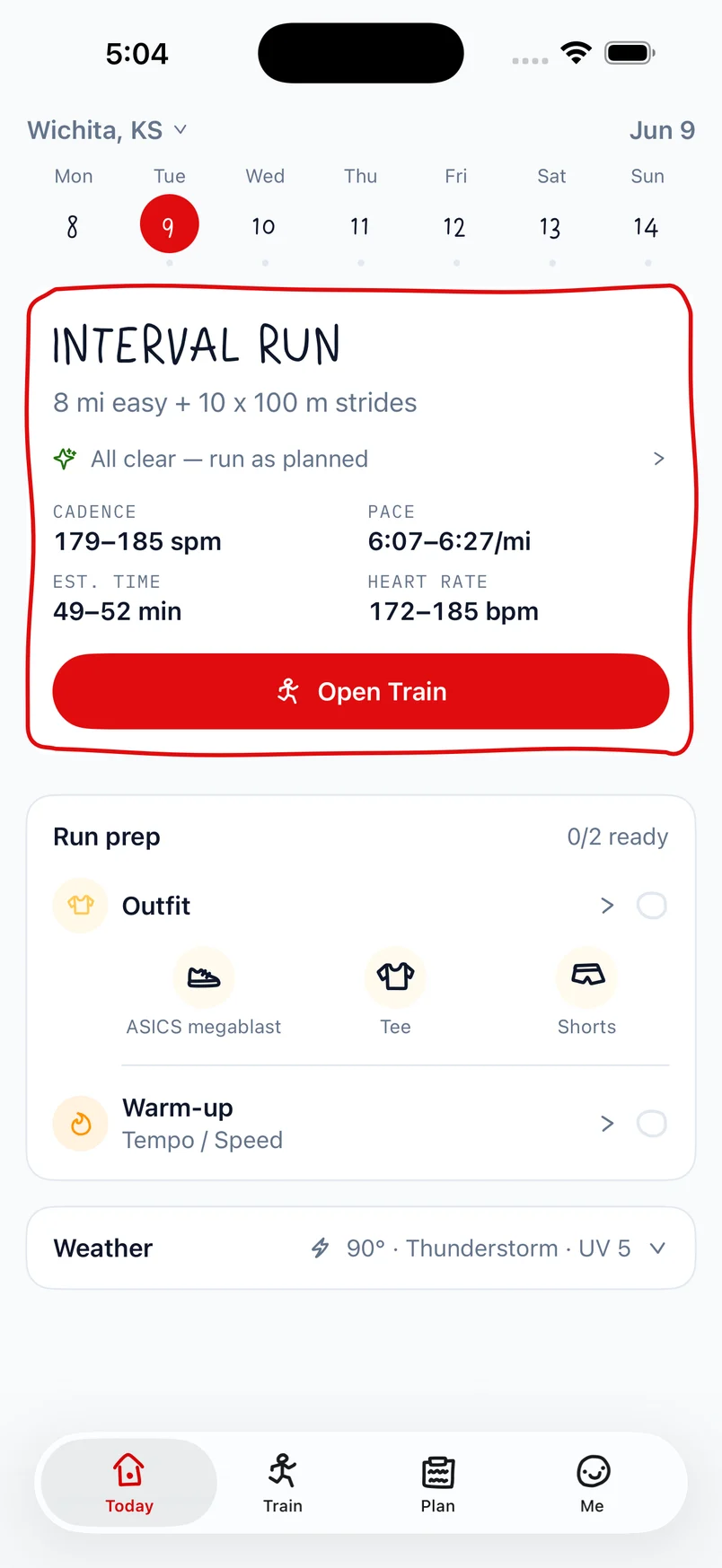
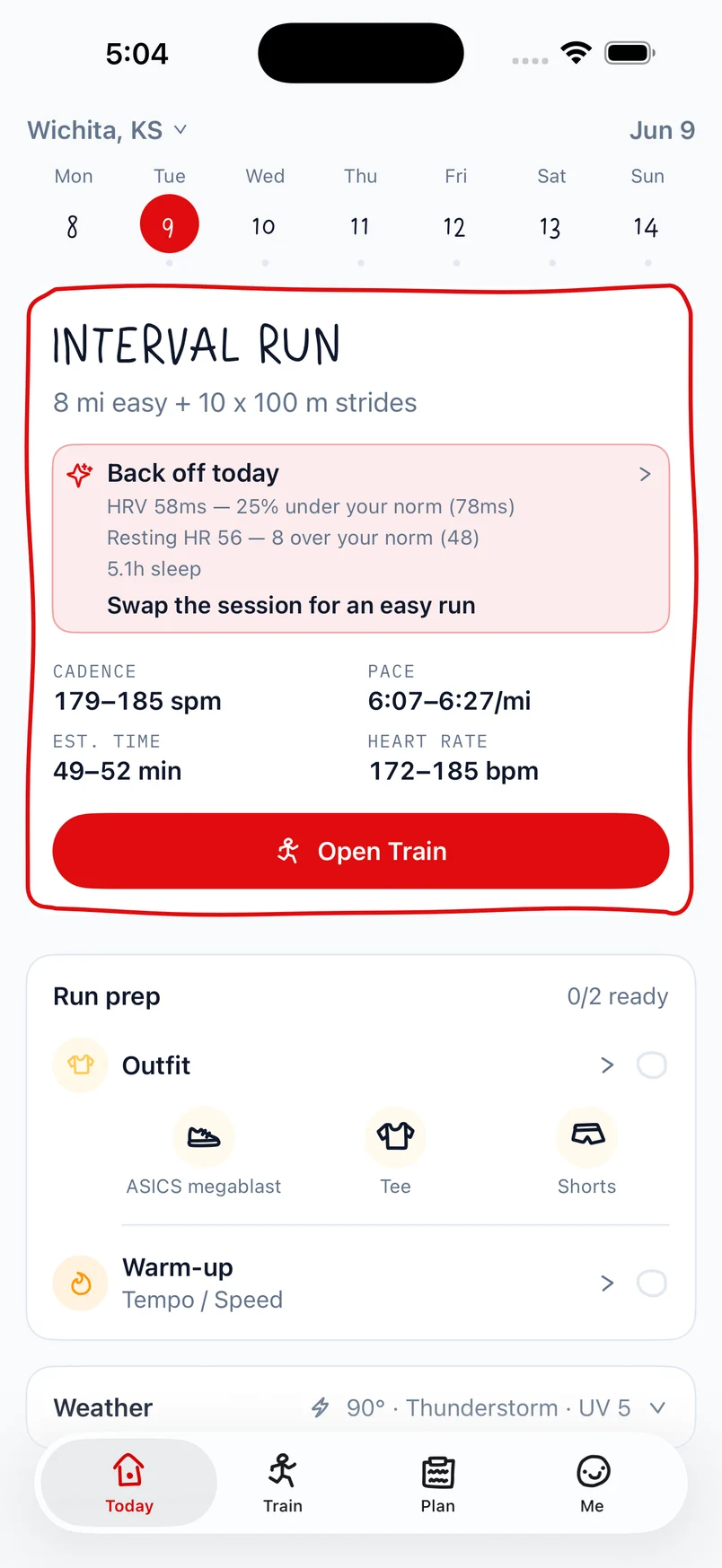
Day is the landing screen. It reads recovery from Apple Health and says what today’s run should be in a few words, like “Run it” or “Take it easy”. Getting that call right took three tries.
- A score. The first version said “Run as planned · 57%” nearly every day. A signal that never changes is easy to ignore. So I flipped it: quiet when everything is normal, loud when something is off, with the real numbers as the reason.
- Typing. My Garmin doesn’t send heart rate variability to Apple Health, so I typed in the watch’s readiness score every morning. The app’s main call depended on a chore.
- Automatic. Now it takes no typing. It uses what Health has, plus training load and how yesterday’s run felt.
Below: the flip from a score to a reason, in June’s older visual design.
During: run to a beat
A cadence of around 180 is good for injury prevention and better running posture. So I run with a metronome in the background, along with music or a podcast.
Cado’s metronome clicks once per step. It stays on the lock screen and in the Dynamic Island, because a run is exactly when the app isn’t open.
- No suggested cadence. Every run used to come with a target, like “173 spm”. It read as one more number to satisfy. Now the metronome opens at the tempo you last set, or the cadence you actually run.
- “Steps per minute”, not “bpm”. Because bpm reads as heart rate.
Strides without a stopwatch
I used to pull out a stopwatch, hit start, sprint for 20 seconds, and hit lap. Rinse and repeat. It got confusing to keep track of running laps and recovery laps.
Now you pick how many strides and how long each one is. Ending a recovery is a manual button press, because recovery varies between strides. It works from the lock screen too.
After: Trace
The motto is Before, During, After, and for a while After was empty. Nothing happened once the run was done except a checkbox.
Trace came from daily journaling, but instead of writing, you draw. Draw how you felt, something you saw on your run, or just doodle.
- No logging. Runs arrive from Apple Health and tick themselves off the plan.
- Your route. It’s overlaid, so you can draw in relation to it.
- Your photos. Add a photo and the app shows the ones taken the same day as your run.
- Not data. The coach never reads or comments on a drawing.
On a photo
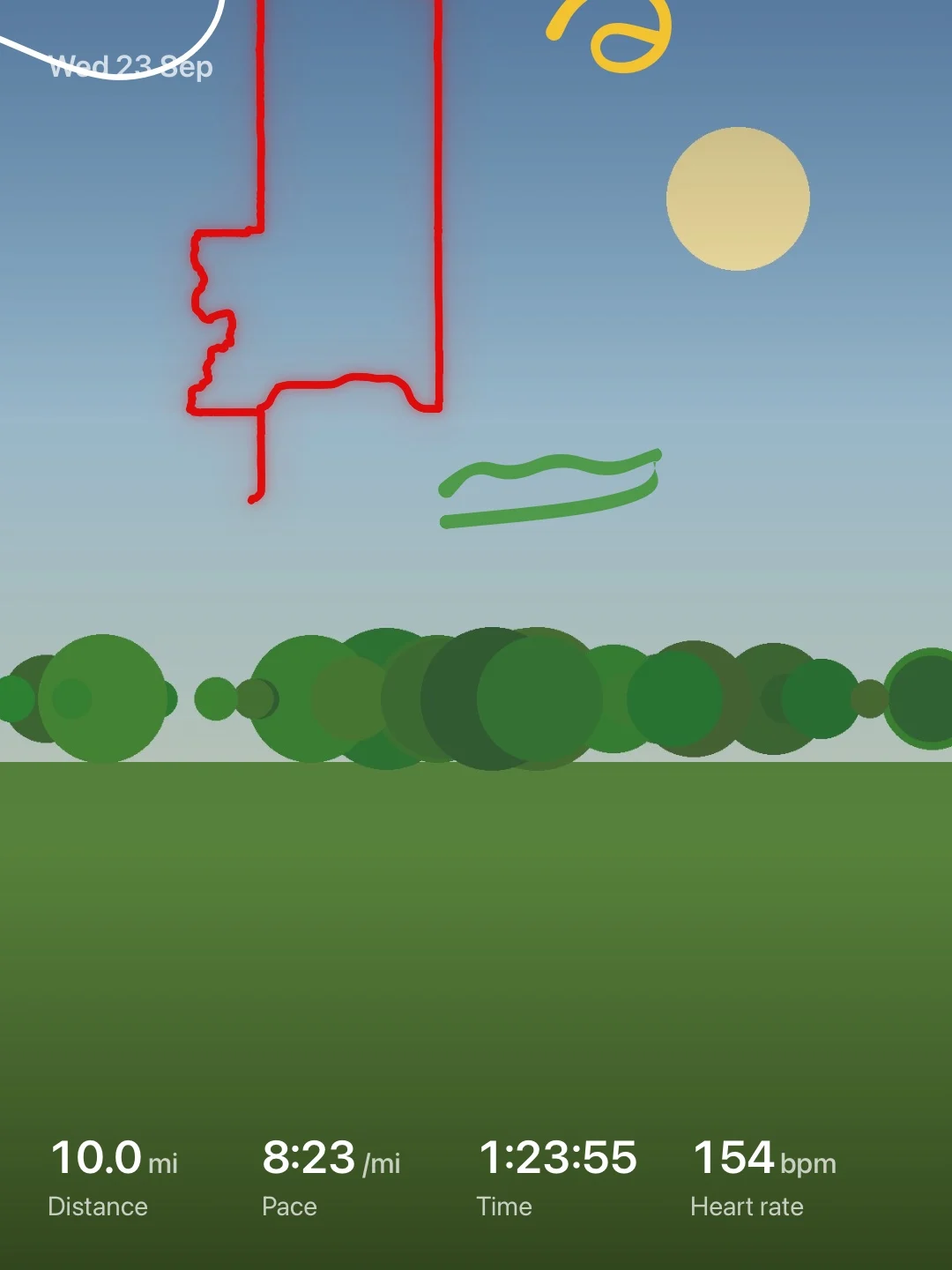
You can lower the drawing’s opacity to trace over the photo, add run details like distance or time, then share it.
No number Cado can’t stand behind
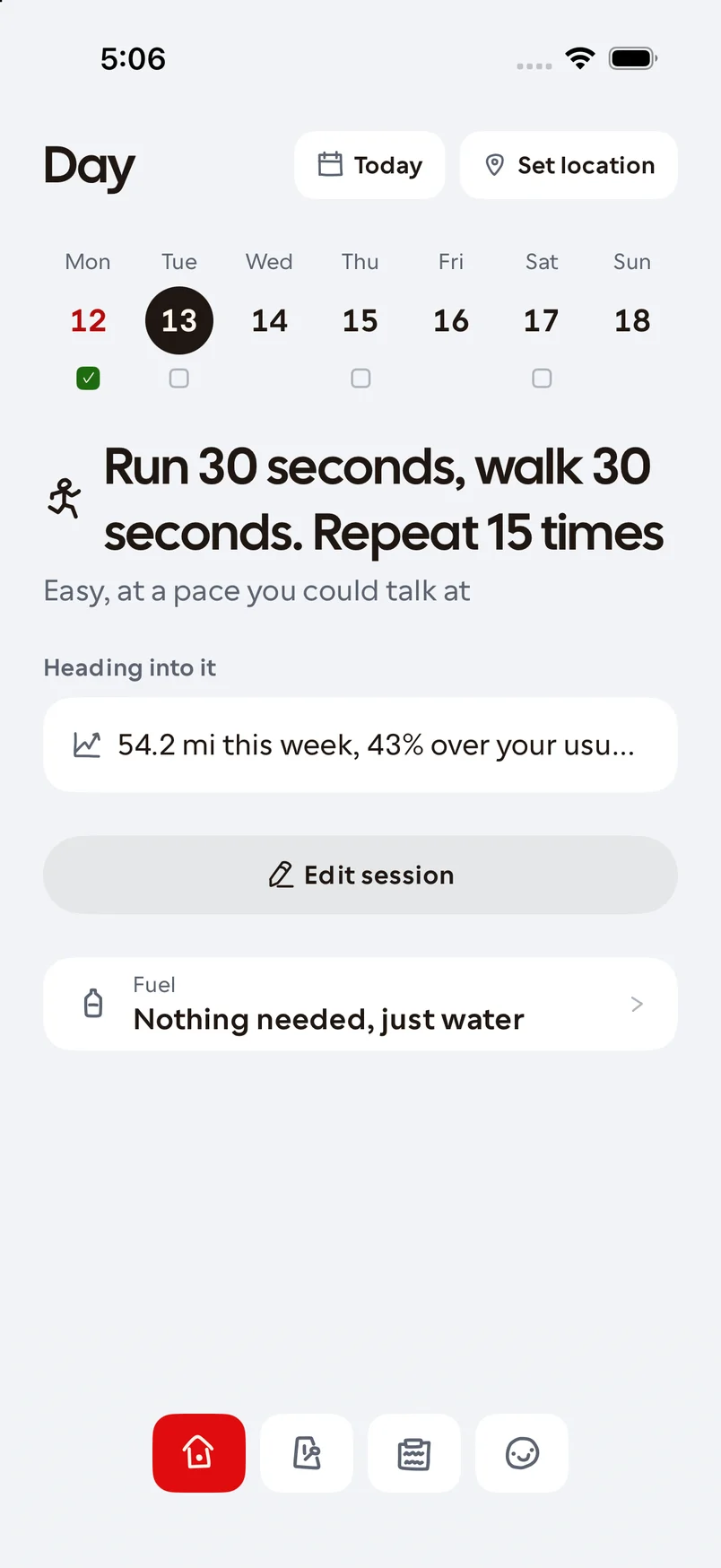
I had the app walked through as a beginner, an older runner, and a slower runner. A beginner on a “run 30 seconds, walk 30 seconds” day was shown a target of 5:03 per kilometre and a heart rate range. Nobody had entered either. They were defaults: a 3-hour marathoner’s pace.
That tells a beginner the app was built for someone else. So I changed it:
- A pace only shows once you’ve given a goal or a race time. Without one, a run shows how long and how easy.
- Onboarding asks “Have you raced lately?” and opens on “I’m new, or I haven’t raced”.
- Settings takes paces down to 18:00 a mile. It used to stop at 10:00.
A timer for run/walk days
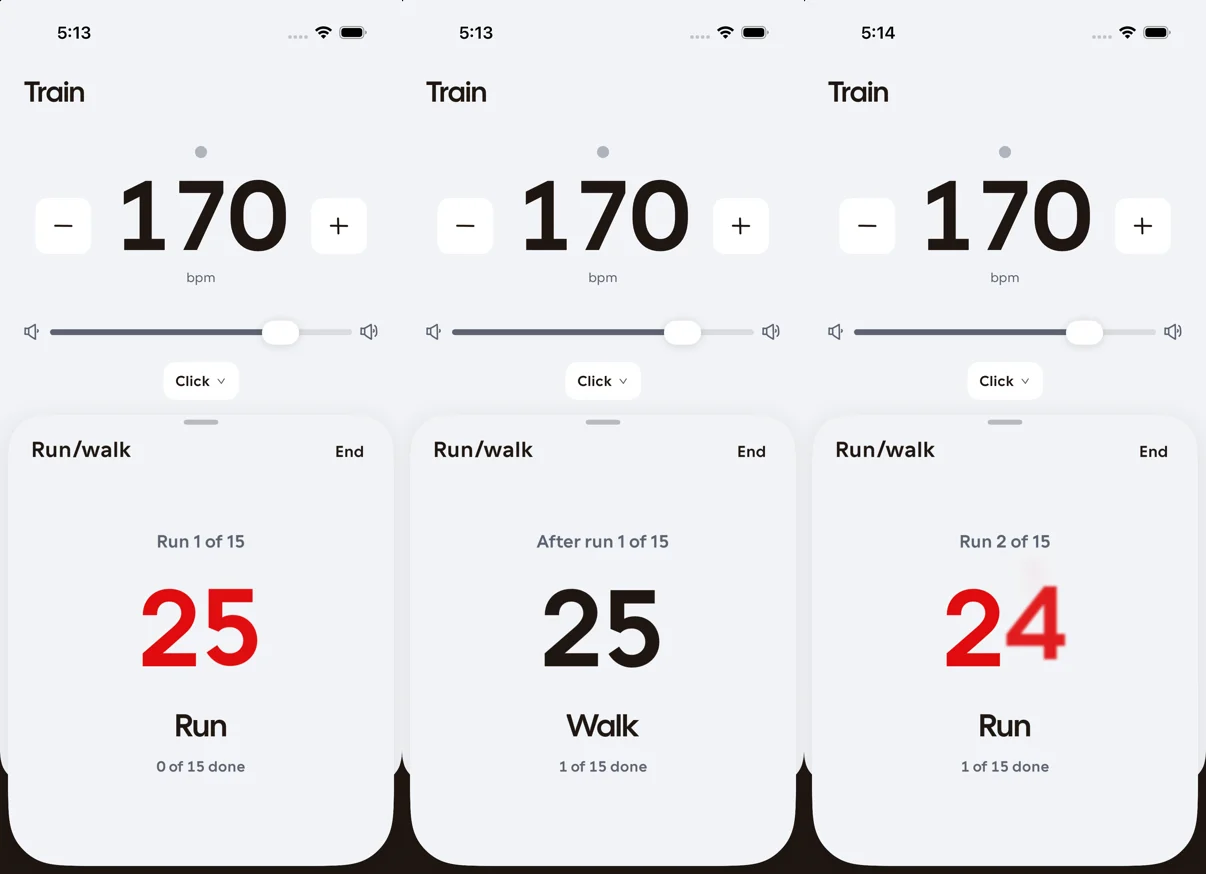
A beginner’s plan says run 30 seconds, walk 30 seconds, fifteen times, and the app was offering a metronome. So the strides timer gained a run/walk mode: the same timer and lock screen activity an experienced runner’s strides get.
A lab for finding a look
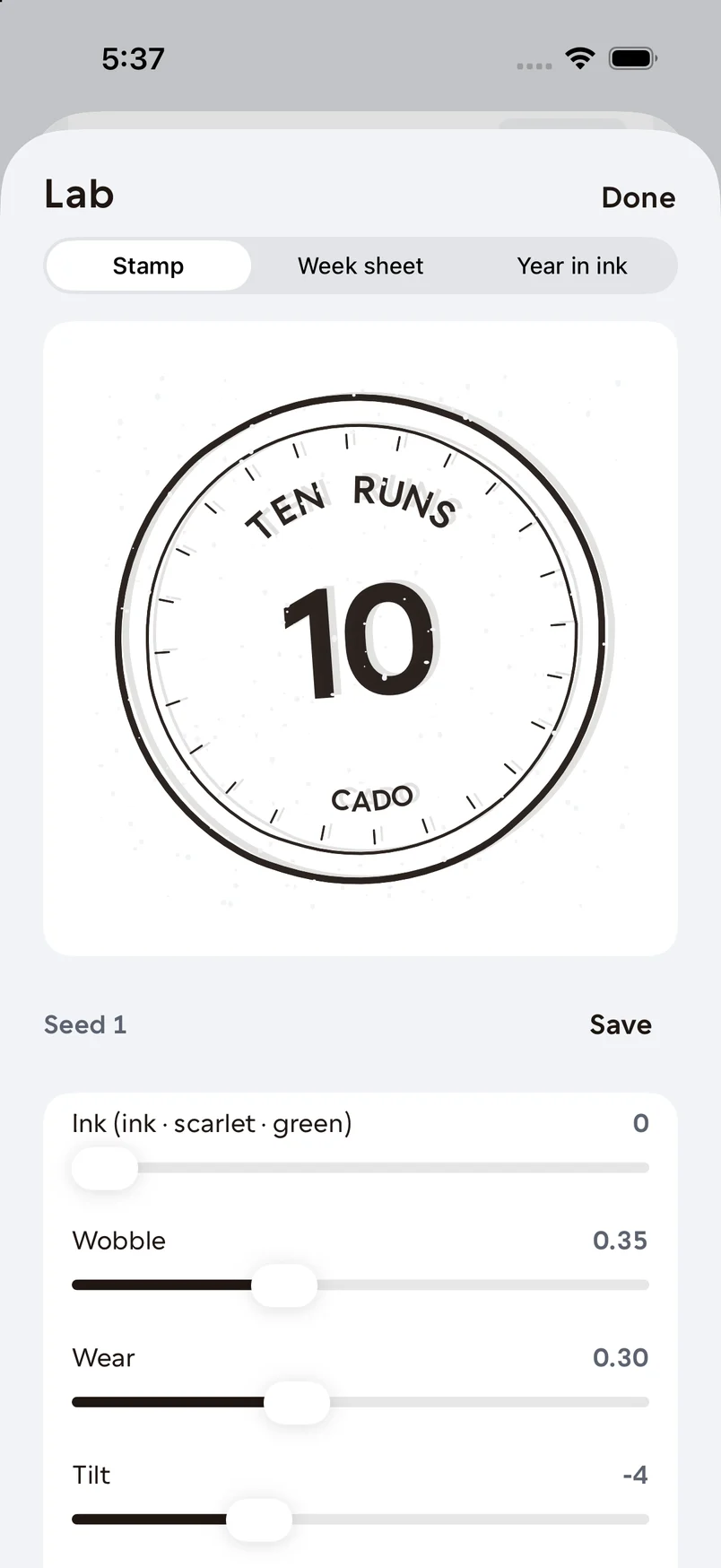
Next to other running apps, Cado felt bare. Theirs fill up as you use them: calendars, medals, weekly recaps. Glossy 3D medals would fight how the app looks.
I couldn’t say up front what the right look was. I could only recognise a good one. So I built a hidden screen with sliders that generates logbook art: a stamp, a week’s contact sheet, a year of dots. The settings I saved are what shipped.
Badges, in Cado’s hand
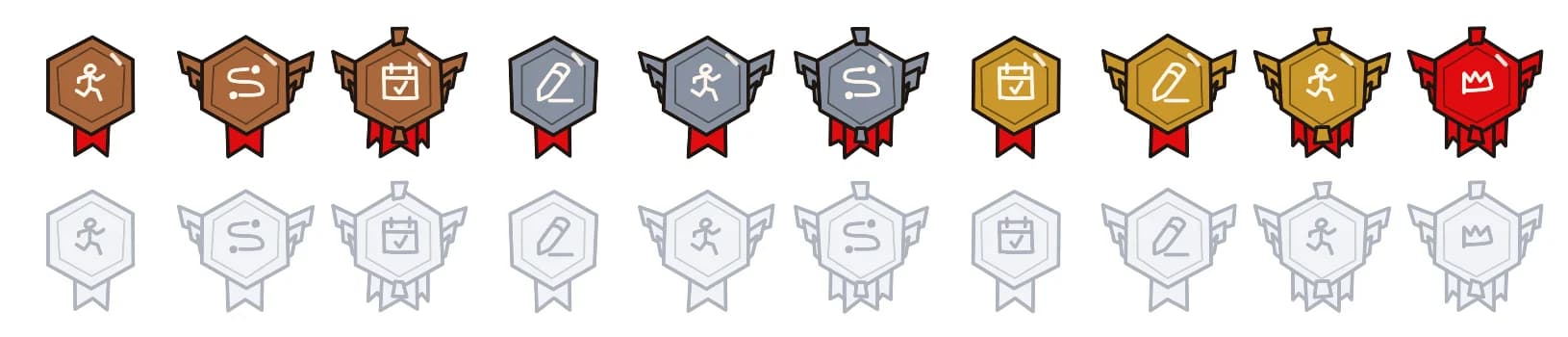
There are 26 badges, with tiers, categories, and locked ones that show what’s next. The structure comes from goald, an earlier prototype of mine. They’re drawn in code, flat and inked, so a new badge needs no artwork. There are no points or levels, and none can be taken back.
How it was built
- Native iOS. Swift and SwiftUI, SwiftData synced through the runner’s own iCloud, HealthKit for recovery and runs, and a Live Activity for the metronome. No account, no ads, no tracking.
- From a log. Every notable decision went into a dated log with the problem, the decision, and the why. This page is written from it.
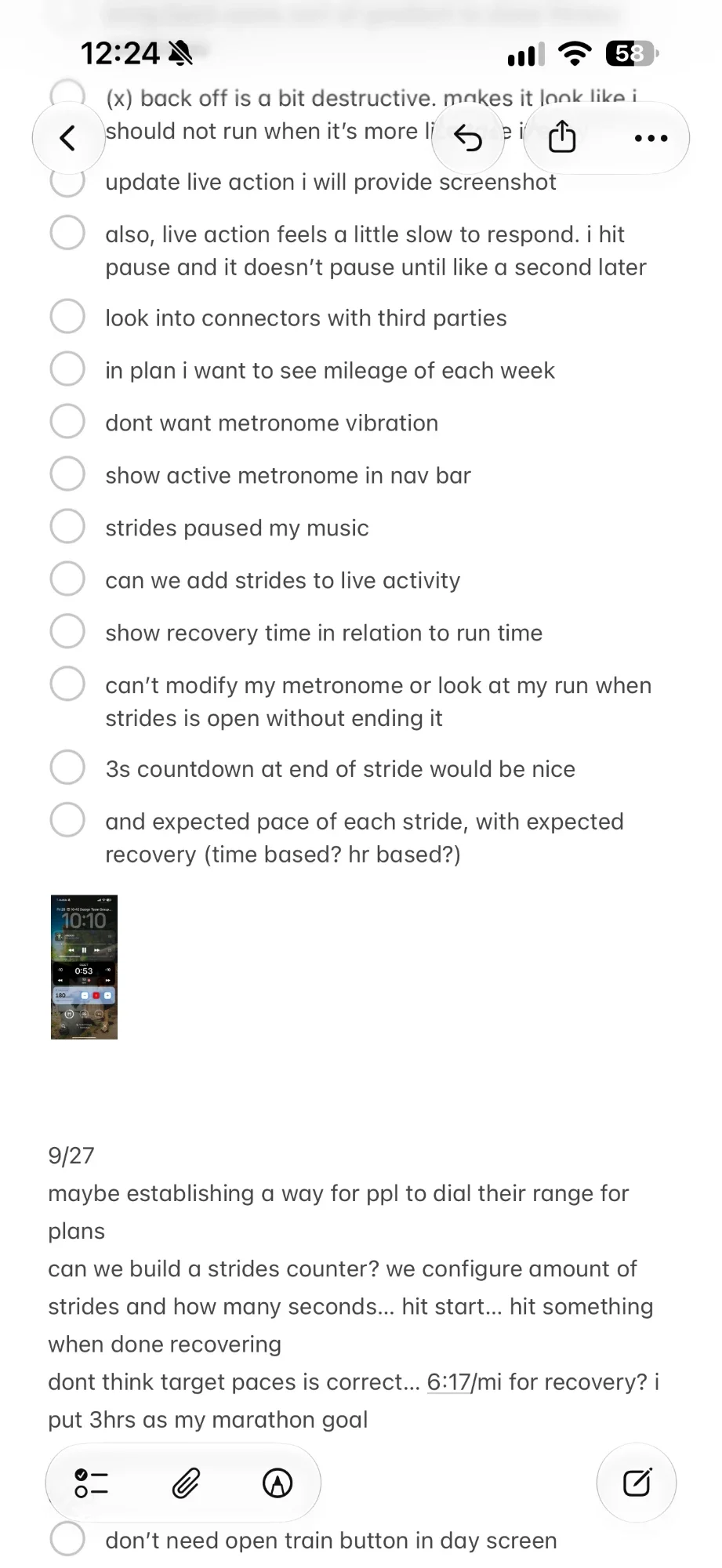
- From runs. If something feels off in the app while I’m running, I write it down in Notes and tackle it later. The strides counter started as one of these notes.
Three names, one bundle ID
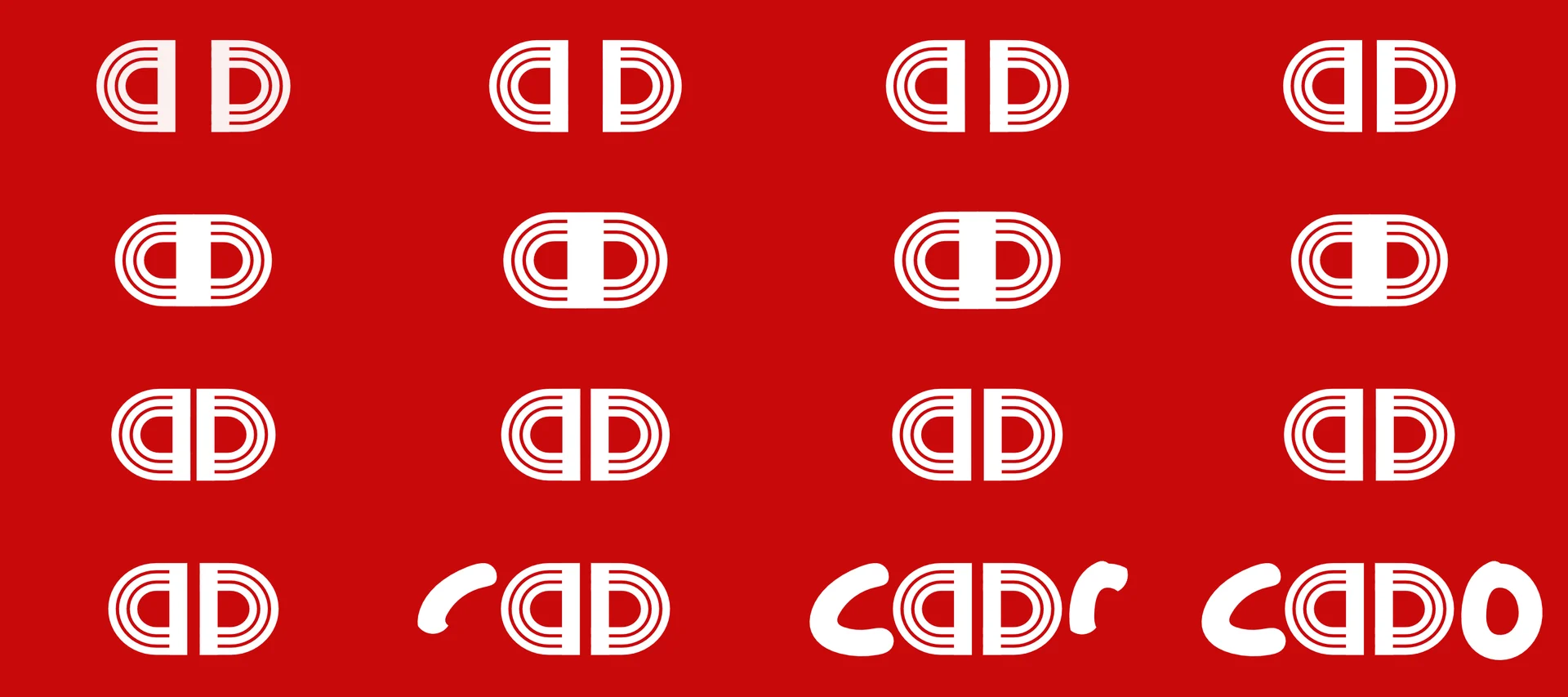
It was Dial, then Runo, then Cado, from cadence, because cadence is what the app does that trackers don’t. A build was already with Apple by the last rename, and Apple doesn’t let you change a bundle ID after that. So only what the runner sees changed. The code still says Runo.
I drew the logo. The “a” and the “D” are two halves of a three-lane running track. The launch animation clicks them together into the track, then springs them apart into the letters.
Next I want to keep improving it, and let other people try it once it’s on the App Store.